
Part 1: Foundations and Setup - Configuring AWS KMS for Web3 Security

In the world of Web3 development, securely managing private keys is a critical challenge. Traditional approaches to private key management often involve storing keys in environment variables or secure vaults, each with their own security trade-offs. In this article, we'll explore how to leverage AWS Key Management Service (KMS) with Account Abstraction to create a robust and secure solution for managing blockchain wallets.
Understanding the Problem
Ethereum accounts and blockchain wallets rely on private keys that must be kept secure at all costs. Losing access to private keys means losing access to assets, while exposing them could lead to unauthorized transactions. At Mentaport, we are building a frictionless experience for our creators.
Our solution relies on the use of Account Abstraction to allow creators to have their smart account wallets derived from their email accounts. The derivation of wallet address from email address happens seamlessly for the creator as part of their signup process. Furthermore, all actions performed by creators for minting NFT certificates and managing their projects' content are handled through gas-sponsored transactions. This is made possible once again thanks to the design of account abstraction and the elegant infrastructure provided by our technology partners. These partners include Pimlico, which provides the bundler and paymaster services, and Safe, which offers the smart account wallet. Additionally, this approach has been complemented by the speed and low-cost transactions offered by a new Layer 1 blockchain by Monad.
For testing, a certificates contract has been deployed on Monad chain testnet at (https://testnet.monadexplorer.com/token/0xc7Bd6Ef21235c6Cf1ac6EfcCf95F735D395B97Fc.
To be able to manage the EOA (Externally Owned Account) private keys in a secure way, the keys are stored and wrapped in AWS KMS and used to derive the smart contract wallets. In this blog, we want to share our approach on how to tie AWS KMS and Account Abstraction smart wallet generation and transactions submissions.
Enter AWS KMS and Account Abstraction
AWS Key Management Service (KMS) offers a secure way to manage cryptographic keys. When combined with Account Abstraction, it provides a powerful solution for enterprise-grade wallet management. Account Abstraction is a blockchain concept that separates the account that holds assets from the account that controls access to them, adding flexibility to transaction authorization.
In this series, we'll walk through:
Creating AWS KMS keys configured for use in blockchain
Converting and wrapping Ethereum private keys for KMS
Implementing a smart wallet using KMS for key management
Executing Account Abstraction transactions using KMS for signing
Setting Up AWS KMS Keys for Blockchain Use
Let's start by creating the necessary AWS KMS keys:
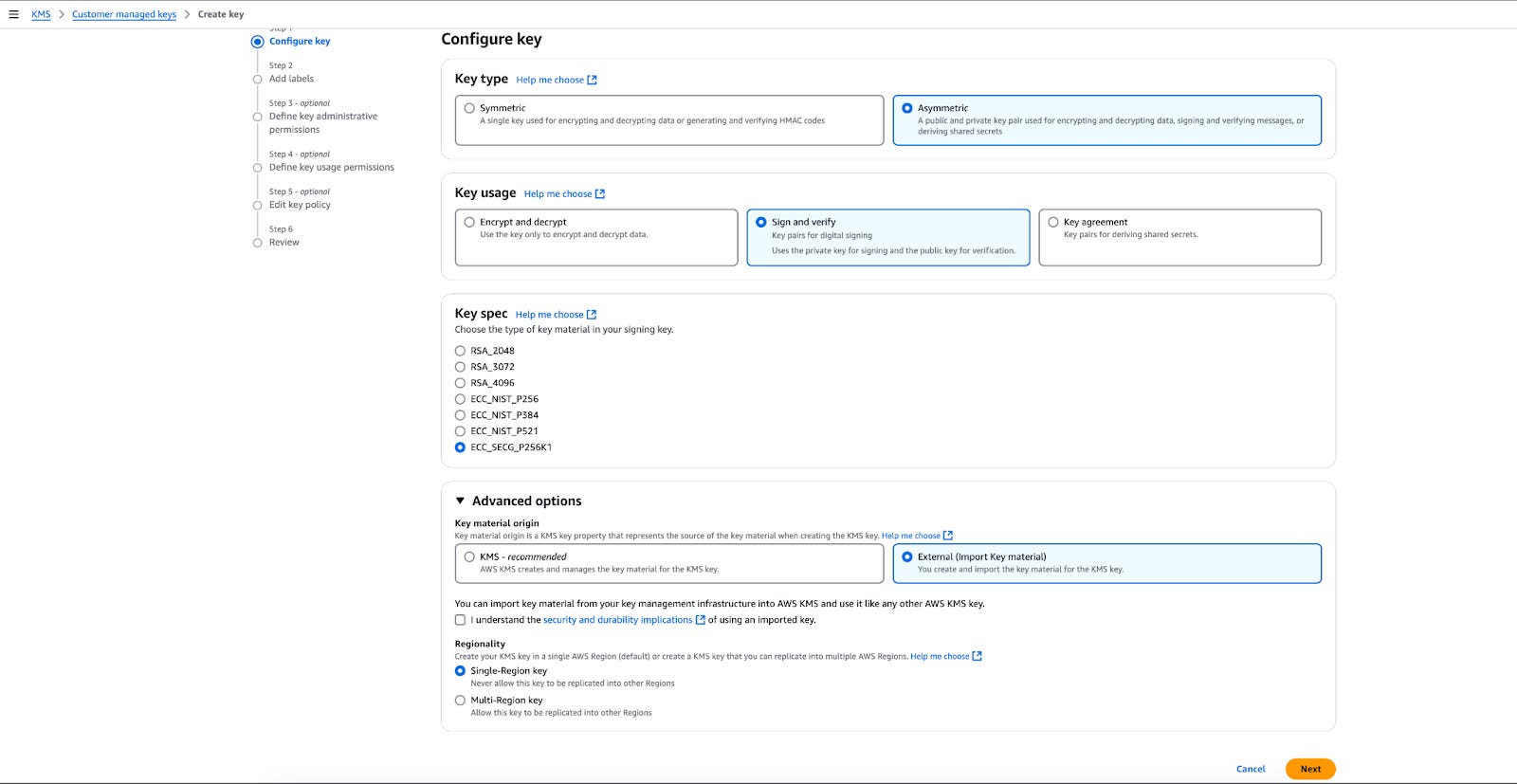
Navigate to AWS KMS in your AWS console and click "Create New Key"
Configure the key with these settings:
Key type: Asymmetric
Key usage: Sign and verify
Key spec: ECC_SECG_P256K1 (compatible with Ethereum's secp256k1 curve)
Advanced options: Select "External" for key material origin and check the "I Understand" box
Name your key, we are using for this example the following convention:
{environment}/{role}_keyWhere:
environment can be production or development
role is either admin or any other role you have
Configure access permissions for the key
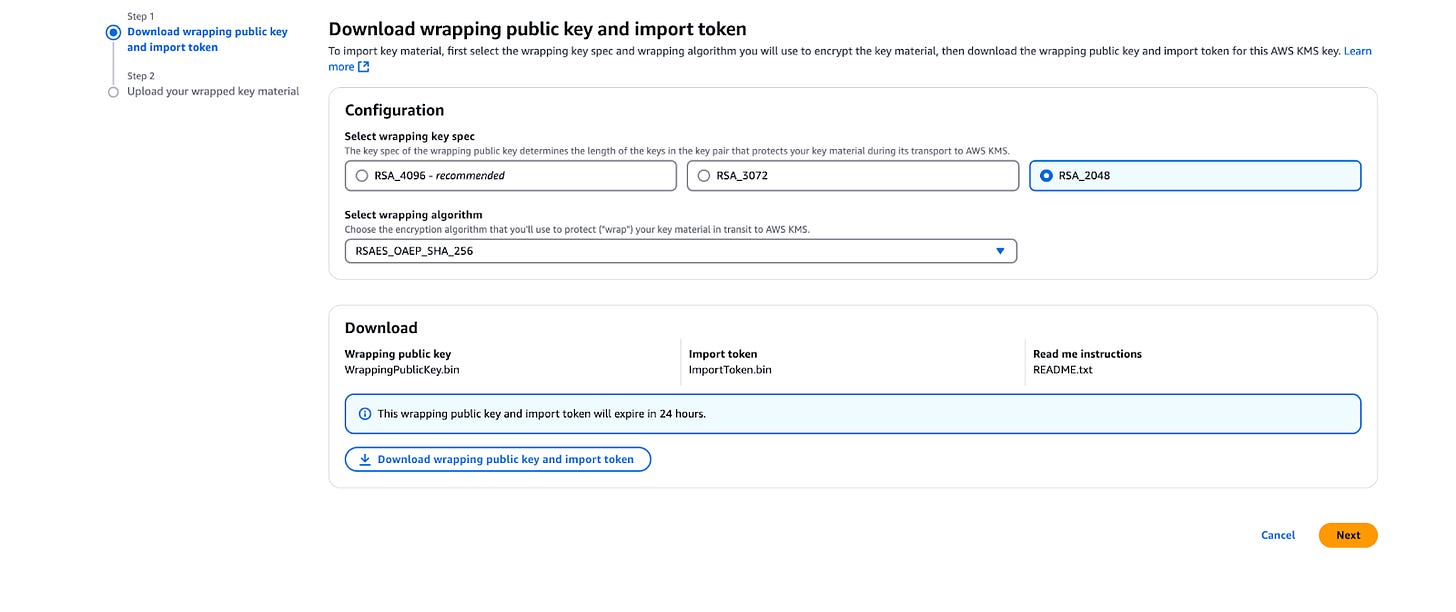
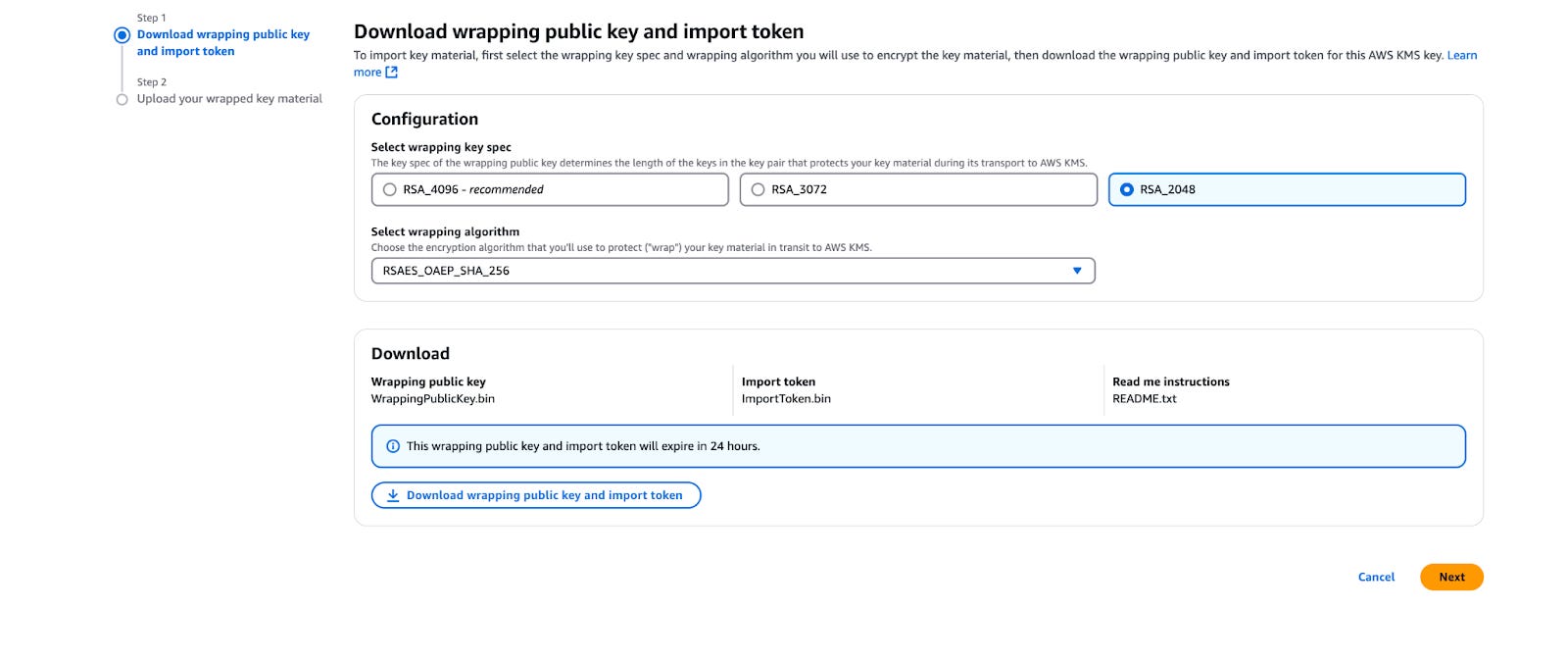
Once created now go and download the wrapping key and import token, using these parameters:
Key Type: RSA_2048
Wrapping Algorithm: RSAES_OEAP_SHA_256
Download both the wrapping key and import token
Converting and Wrapping Ethereum Private Keys
Once your KMS key is set up, you'll need to convert your existing Ethereum private key to a format that AWS KMS can work with:
First, retrieve your private key as a hex string from your secure storage or wallet
Convert the private key to PKCS#8 format using this script (credit to the authors of this article https://tinyurl.com/pahuwcde):
#!/usr/bin/env bash
# Convert Ethereum private key to PKCS#8 format for AWS KMS

set -e
set +x

raw_key=$1

ASN1_PRIV_KEY_HEADER="302e0201010420"
ASN1_SECP256K1_OID="a00706052b8104000a"
OUT_FILE="priv_key.pkcs8"

if [ -z "${raw_key}" ]; then
  echo "Usage: $1 $0 <private_key>"
  exit 1
fi

openssl pkcs8 -topk8 -outform DER -nocrypt -inform DER -in <(echo "${ASN1_PRIV_KEY_HEADER} ${raw_key} ${ASN1_SECP256K1_OID}" | xxd -r -p) -out ${OUT_FILE} &>/dev/null
printf "private key successfully written to: %s\n" "${OUT_FILE}"
Run the script with your private key:
./convertKey.sh "YOUR_HEX_STRING_PRIVATE_KEY"Wrap the key using the KMS wrapping key you downloaded:
openssl pkeyutl -encrypt \
  -inkey WrappingPublicKey.bin \
  -pubin \
  -in priv_key.pkcs8 \
  -out wrapped_key.bin \
  -pkeyopt rsa_padding_mode:oaep \
  -pkeyopt rsa_oaep_md:sha256
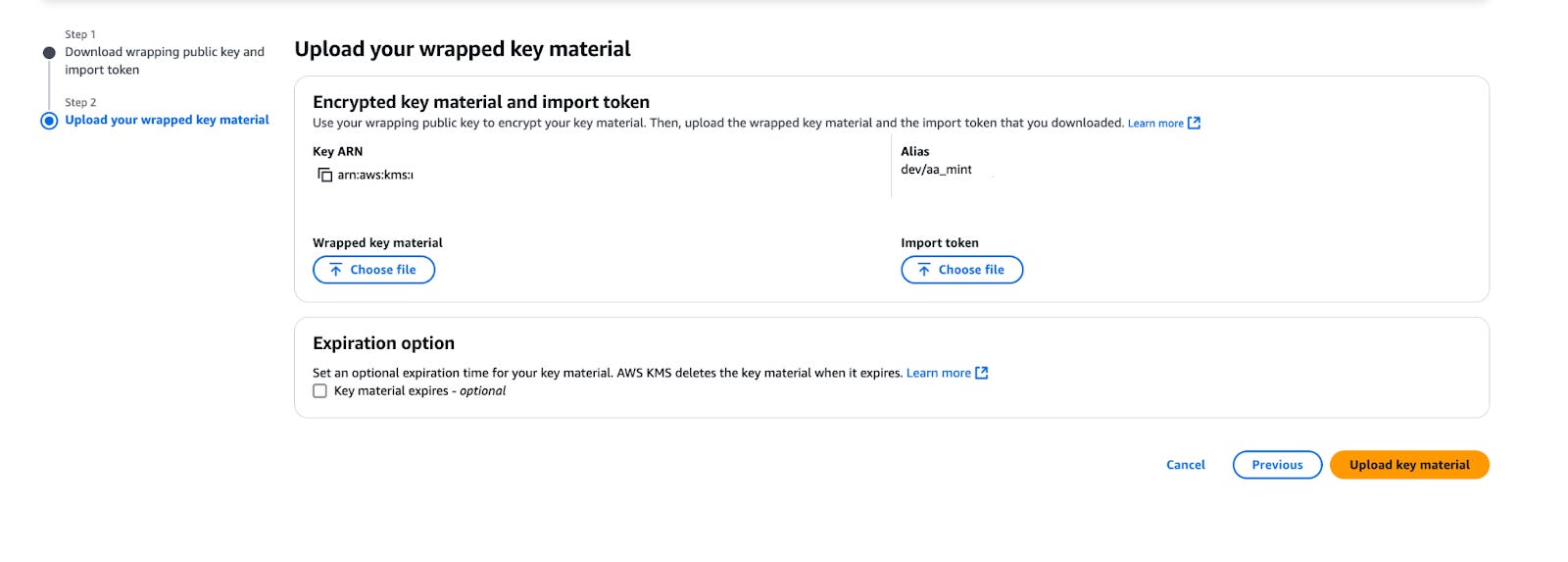
Upload the wrapped key and import token to complete the KMS key setup:
What is next?
In this first part of our series, we've covered the main concepts of our discussed approach for utilizing AWS KMS and Account Abstraction for secure Web3 wallet management. We introduced in this part of the series the setup process for AWS KMS keys configured specifically for blockchain use. The steps show how to configure the AWS environment and convert Ethereum private keys into a format compatible with KMS.
In Part 2, we'll dive deeper into the actual implementation, showing how to build smart wallets using AWS KMS-secured keys, creating a Viem compatible wallet from the KMS signer, and executing Account Abstraction transactions. We'll provide detailed code snippets to help the reader create a robust, enterprise-grade wallet security solution that can scale across multiple chains. Stay tuned for Part2 as we move from the theory to the practice.